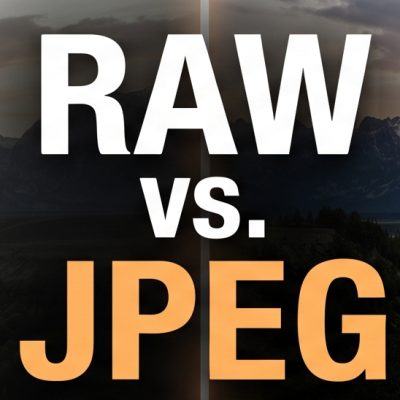
When you pick up a digital camera or dive into your smartphone’s pro settings, one of the first major decisions you will face is choosing your image format: RAW or JPEG.
Both formats have their own distinct strengths, weaknesses, and ideal use cases. Understanding the difference is the first step toward taking full control of your photography.
What is a JPEG?
A JPEG (Joint Photographic Experts Group) is the standard, universally accepted image format. When your camera shoots in JPEG, it captures the image, applies processing (like sharpening, contrast, and colour saturation), and then compresses the file by throwing away data that the human eye isn’t likely to notice.
Pros of JPEG
-
Ready to Share: Files are processed in-camera, meaning they look great right away and can be shared, printed, or posted immediately without editing.
-
Small File Sizes: Because data is compressed, JPEGs take up much less space on your memory card and hard drive.
-
Faster Burst Shooting: Smaller files write to the memory card faster, allowing your camera to capture more frames per second in continuous shooting mode.
Cons of JPEG
-
Limited Editing Latitude: Much of the original image data is permanently discarded during compression. Trying to recover details from heavily shadowed areas or bright highlights often results in noticeable grain, banding, or pixilation.
-
Fixed White Balance: Colour temperature and white balance are “baked in,” making them much harder to correct accurately after the fact.
What is a RAW File?
A RAW file is essentially a digital negative. It contains all the uncompressed, unprocessed data captured by your camera’s sensor. Because it isn’t an actual viewable image yet, you cannot simply double-click a RAW file and post it online; it requires dedicated editing software (like Adobe Lightroom, Capture One, or dark table) to “develop” it into a viewable format like JPEG or PNG.
Pros of RAW
-
Maximum Image Quality: RAW files capture millions more shades of colour and levels of brightness than JPEGs (typically 14-bit colour compared to JPEG’s 8-bit).
-
Unmatched Editing Flexibility: You can easily recover blown-out highlights, pull deep details out of shadows, and adjust exposure errors that would ruin a JPEG.
-
Non-Destructive Editing: Adjustments made to RAW files are saved as metadata instructions, meaning you can always revert to your original capture.
Cons of RAW
-
Requires Post-Processing: You must spend time on a computer or phone editing your photos before they can be shared.
-
Large File Sizes: RAW files are often 4 to 6 times larger than JPEGs, filling up memory cards and storage drives very quickly.
-
Slower Performance: Larger files can slow down your camera’s buffer when shooting rapid bursts.
Head-to-Head Comparison
| Feature | RAW | JPEG |
| File Size | Very Large | Small |
| Editing Latitude | Exceptional (High flexibility) | Poor to Moderate |
| Ready to Share? | No (Requires processing) | Yes (Instant) |
| Color Depth | 12-bit to 14-bit (Billions of colours) | 8-bit (16.7 million colours) |
| Best Used For | Professional work, landscapes, high-contrast scenes | Family snapshots, sports, casual shooting, quick sharing |
Which One Should You Choose?
The right choice ultimately depends on your goals, workflow, and what you are shooting:
Choose JPEG if:
-
You want to share photos instantly to social media or send them to friends.
-
You are shooting high-speed action (like sports or wildlife) and need your camera’s buffer to keep up.
-
You have limited storage space on your devices or memory cards.
-
You prefer spending your time taking pictures rather than editing them on a computer.
Choose RAW if:
-
You are shooting professionally or creating art that you plan to print and display.
-
You are shooting in difficult lighting conditions (such as high-contrast landscapes, backlit portraits, or dimly lit venues).
-
You want absolute creative control over your colours, tones, and overall look during post-processing.
The Best of Both Worlds
Many modern cameras and smartphones offer a RAW + JPEG shooting mode. This writes both files to your card simultaneously—giving you an instant JPEG to share right away, alongside a RAW file safely stored away for when you have the time to dive into deep editing.